Nota.

Log your baby's sleep, feeds and diapers, and share the day with everyone who helps.

Everything goes into one log that the whole family can add to, each from their own iPhone or iPad. Nota Baby suggests when the next nap is due, and the log stays in your own iCloud.

Download on the App Store

For iPhone and iPad with iOS 18 or later, in 11 languages. Logging is free, with no limit on history. Premium is optional.
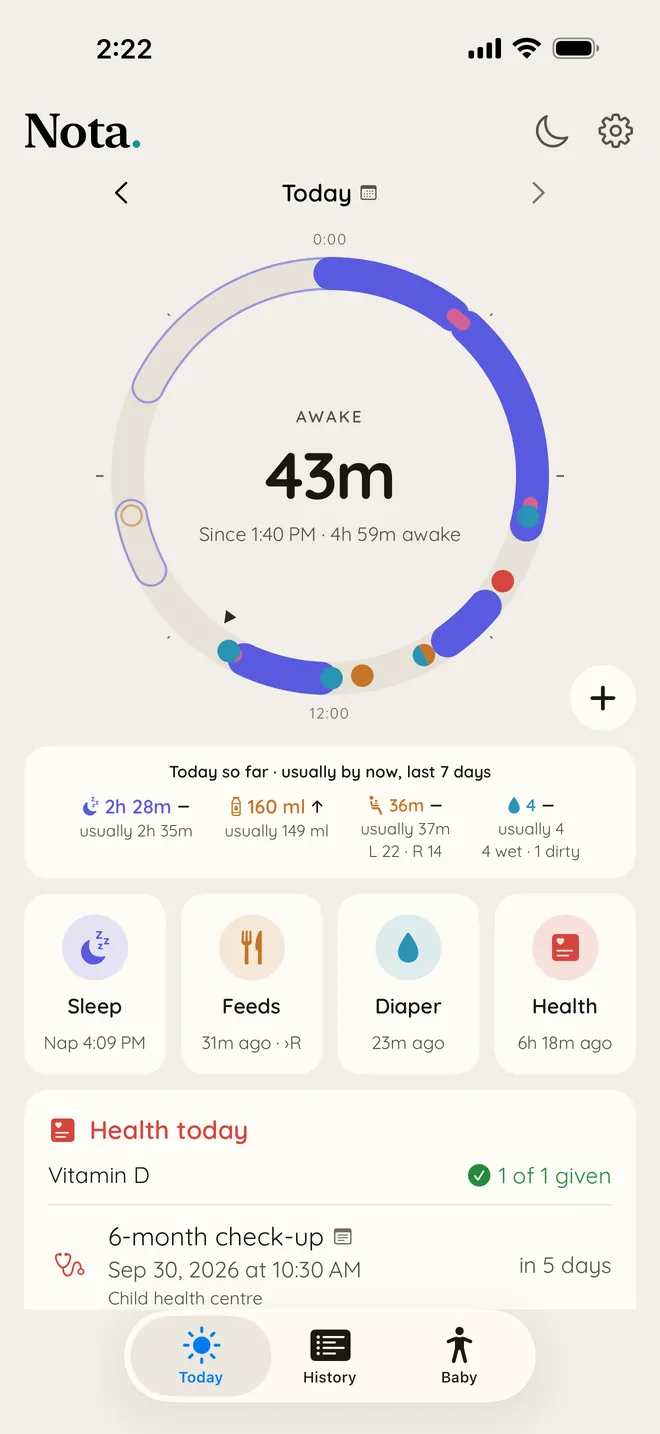
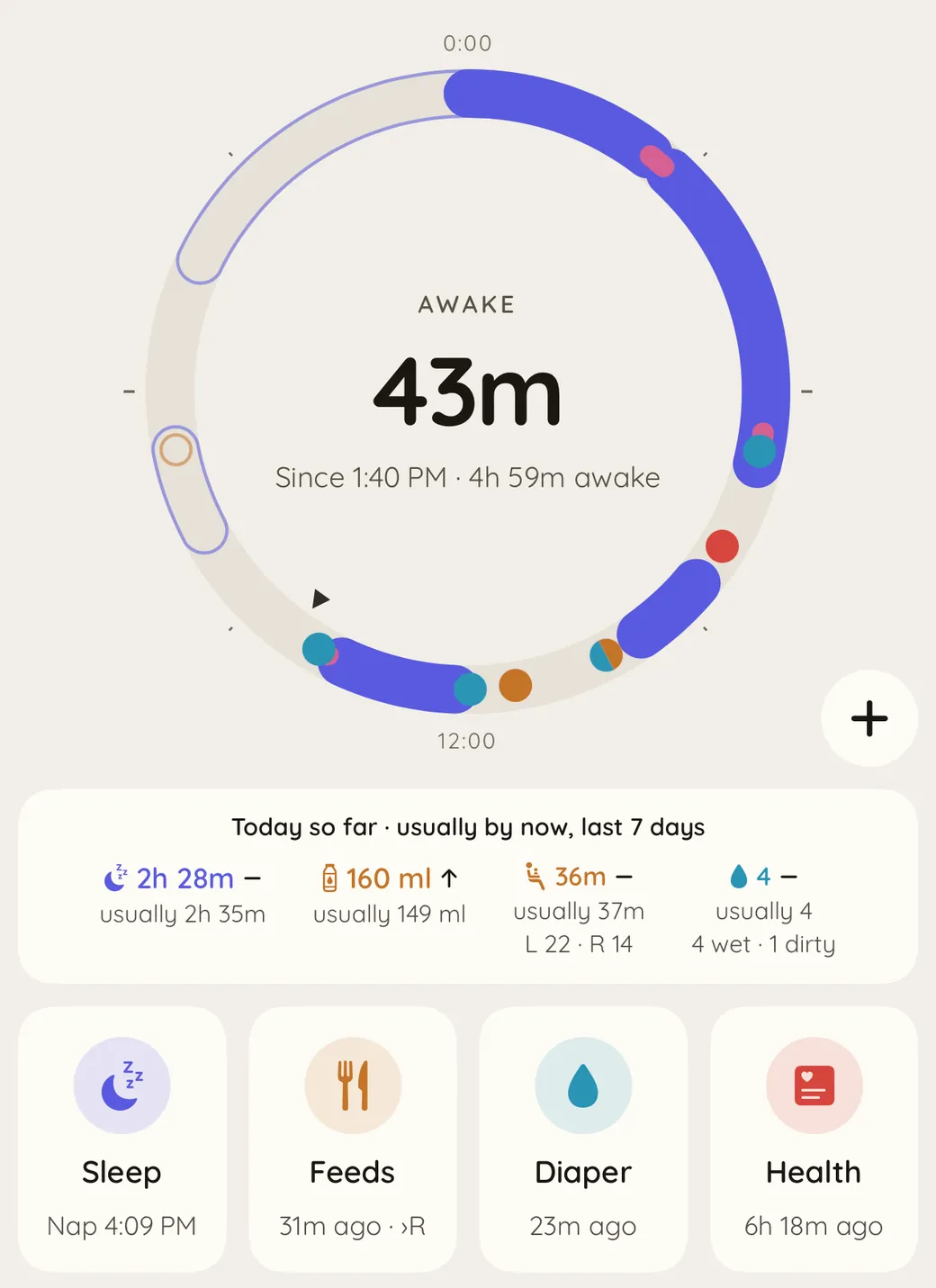
The Today screen for a sample baby, Alma: a 24-hour ring with last night's sleep, two naps, feeds and diapers, and Awake 57m, since 1:40 PM, in the middle. Under it, a card comparing today with a usual day, and four buttons: Sleep, Feeds, Diaper and Health.
The 24-hour ring up close, with last night's sleep, two naps, feeds, diapers and a planned nap drawn in outline, and under it a card comparing naps, bottle, nursing and diapers with a usual day.

See the whole day at a glance

Sleep, feeds and diapers are drawn around a 24-hour clock, so you can see in a second how long the baby has been awake and when the last feed was. Logging something takes a tap or two.

A card under the clock shows how today compares with a usual day, and you choose which four things to keep one tap away. At night, the moon at the top dims the screen for a dark room.
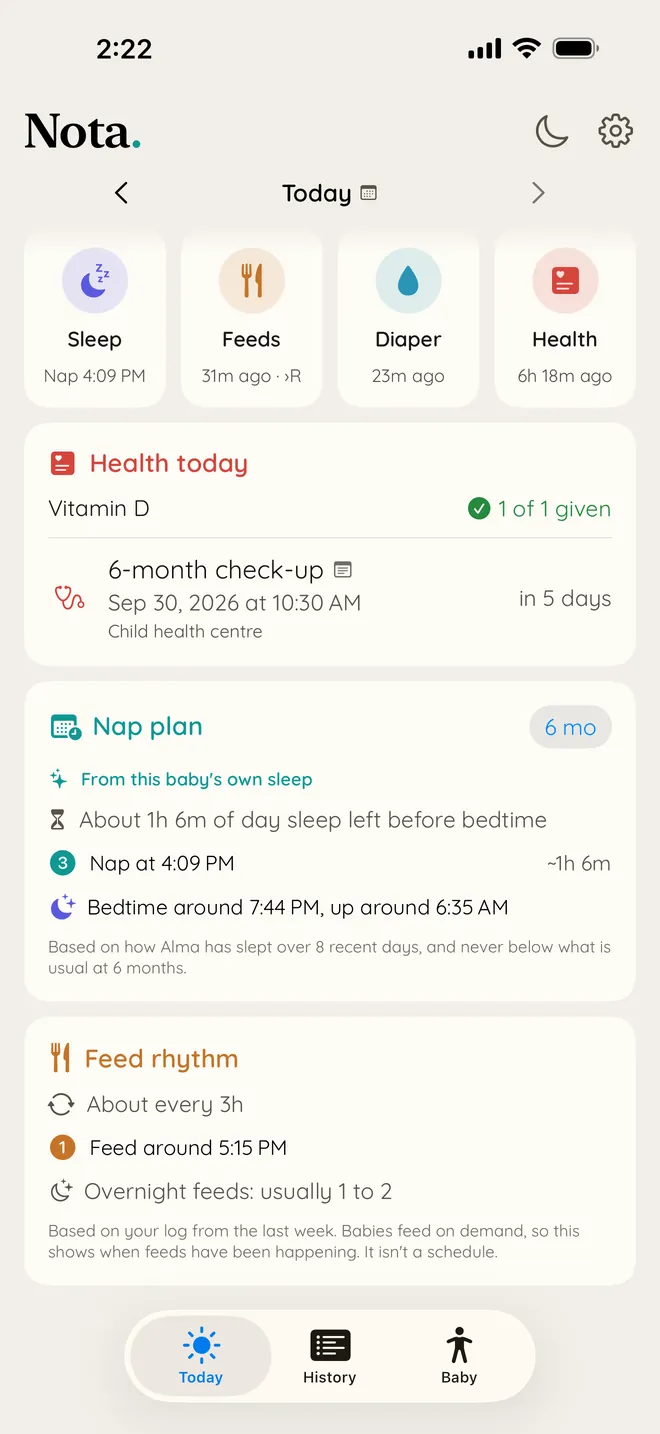
The Nap plan card: from this baby's own sleep, about 1h 6m of day sleep left before bedtime, a nap at 4:09 PM, and bedtime around 7:44 PM. Under it, the Feed rhythm card: about every 3 hours, a feed around 5:15 PM, and overnight feeds usually 1 to 2.

Know when the next nap is due

The nap plan suggests the next nap and a bedtime for your baby's age, and gives the day more sleep after a short night. With Premium it learns your baby's own rhythm from the days you log.

How the nap plan changes after a week of logged sleep Three timelines of one day from 6 in the morning to 8 at night. The first shows three naps placed by an age chart, drawn as outlines. The second shows seven days of logged naps, which all fall a little earlier than the chart. The third shows the plan built from those days, with all three naps moved earlier to match. 06:00 09:00 12:00 15:00 18:00 By age Your week Your baby'srhythm
The age chart puts the first nap at 09:15. This baby has been going down around 08:45 all week, so the plan moves to match.

The past week also shows roughly when the next feed may come. Reminders for naps and feeds are there if you want them.

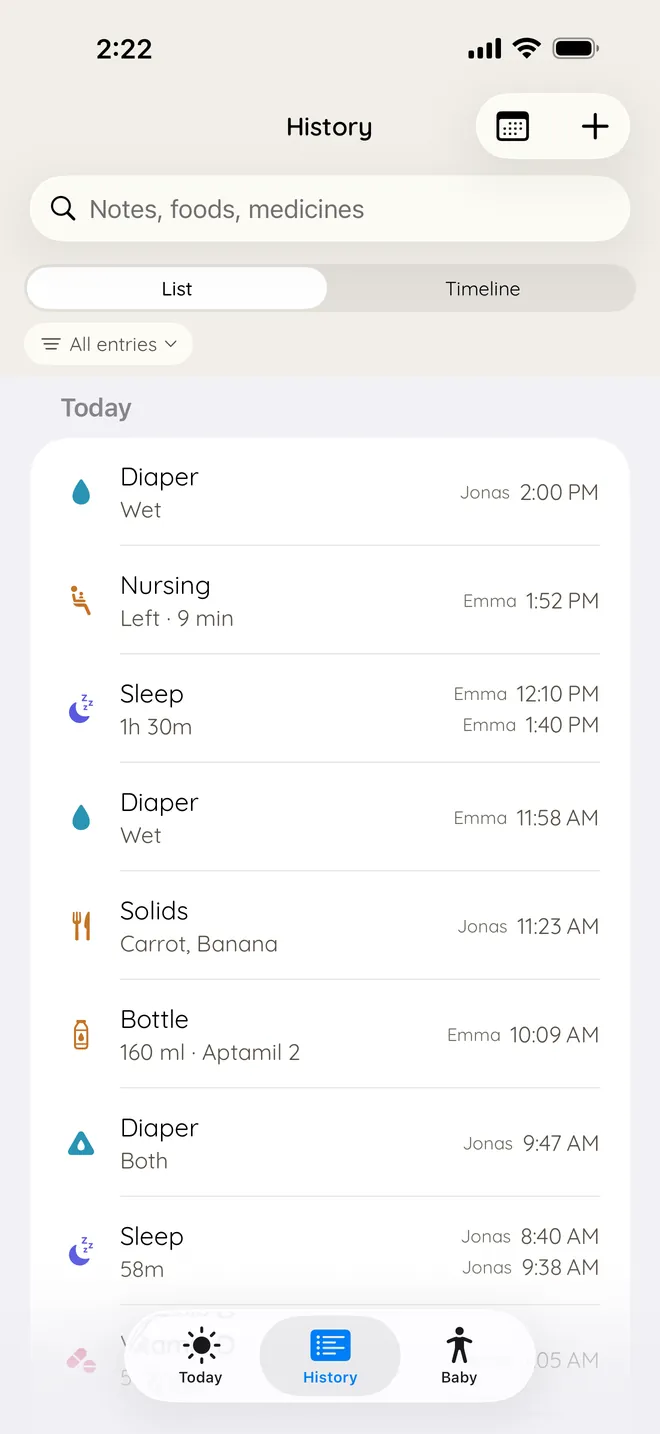
History as a list, with a search field for notes, foods and medicines. Each entry names who logged it: Emma or Jonas.

One log for everyone who helps

Partners, grandparents and nannies each log from their own iPhone or iPad, and everyone sees the same log. Nobody needs to create an account, and you can invite as many people as you like.

You get a notification when the baby falls asleep or wakes up, and nobody is woken for a feed.

More than one child? Each has their own log, and adding one is free.
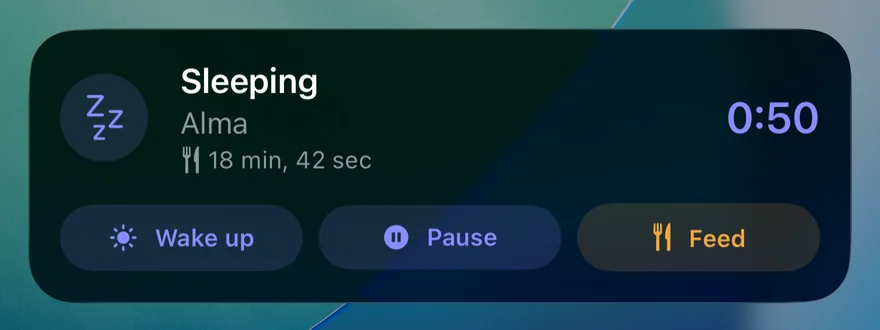
The sleep timer on the Lock Screen: Sleeping, the baby's name, the time since the last feed, a running clock, and buttons for Wake up, Pause and Feed.

Keep the nap timer on the Lock Screen

While the baby sleeps, a timer on the Lock Screen shows how long the nap has lasted and when the last feed was, with buttons to pause it, end it or log a feed.

The Home Screen widget has buttons for sleep, feeds and diapers, and keeps today's medicines in view. Siri and Shortcuts work too.

Look back and spot patterns

Every day stays in the log, searchable and easy to correct. Put a week side by side to see a pattern forming.

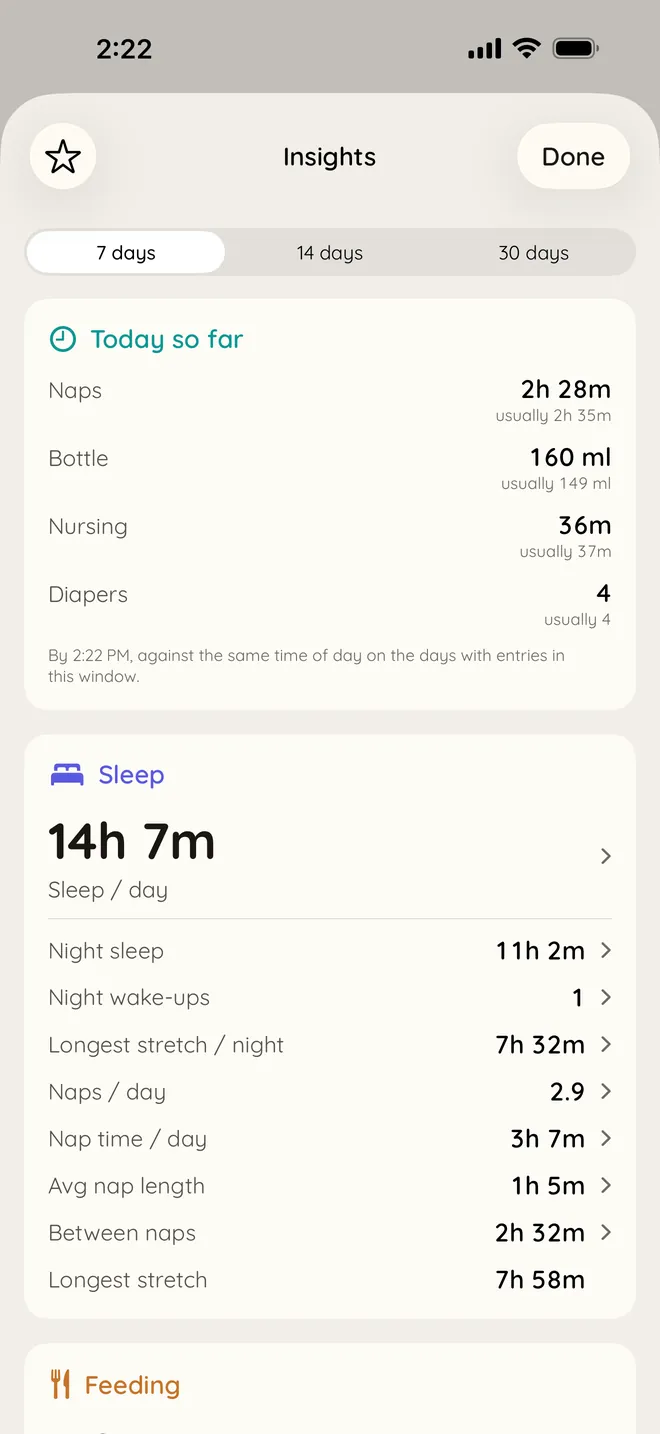
With Premium, Insights shows how this week compares with the weeks before, with a graph of any figure over months. On an iPhone or iPad with Apple Intelligence, you can also ask the log a question in your own words.
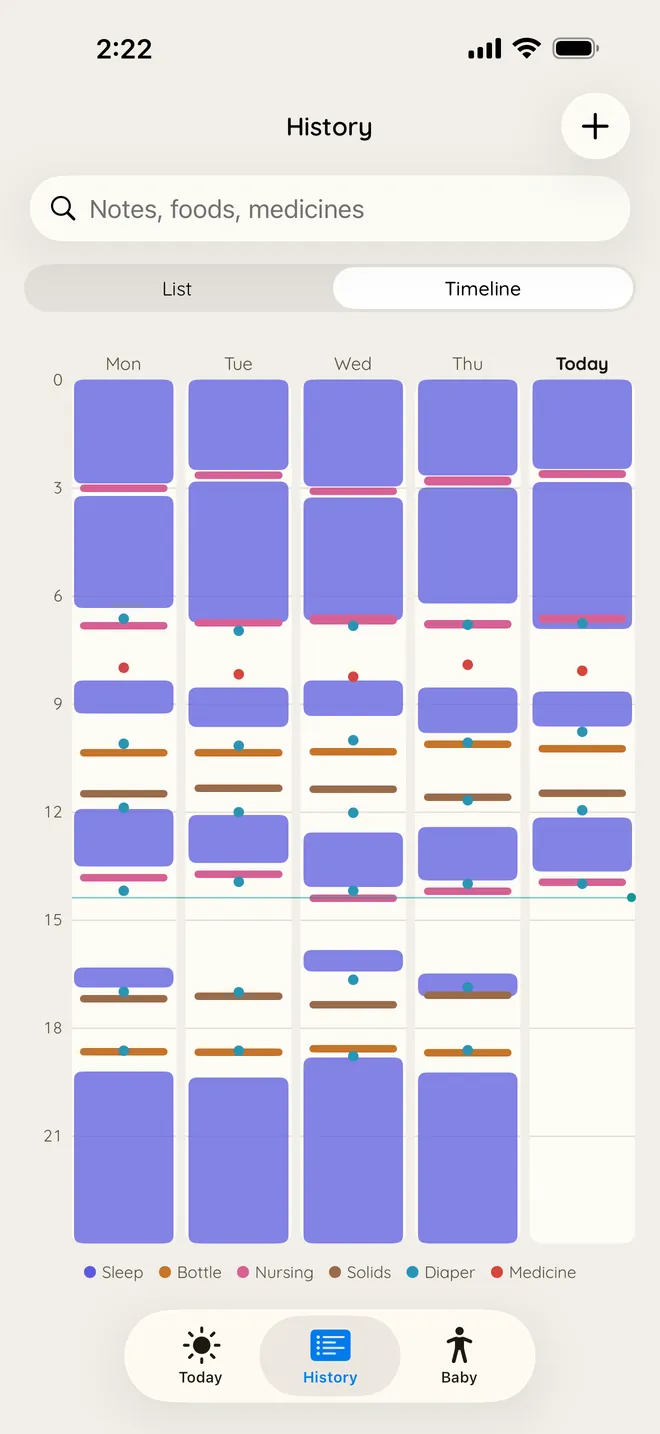
The History timeline: five days side by side, one column a day, with sleep as blocks and bottles, nursing, solids, diapers and medicine as marks.
The timelineRecent days side by side.
Insights: today so far against the usual for naps, bottle, nursing and diapers, and the last 7 days' sleep averages, such as 14h 7m of sleep a day.
InsightsHow today and this week compare with usual.
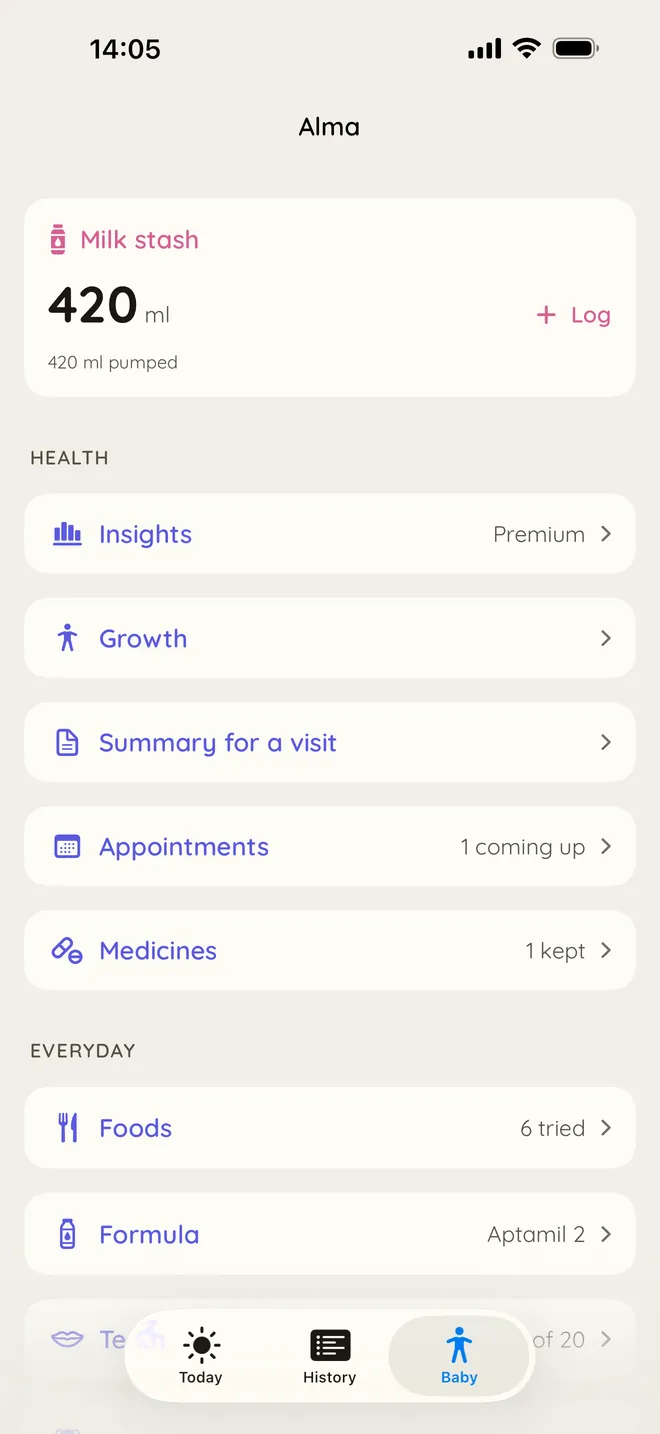
The Baby tab: the milk stash, then Insights, Growth, Summary for a visit, Appointments and Medicines.
The Baby tabGrowth, appointments, medicines and the visit summary in one place.
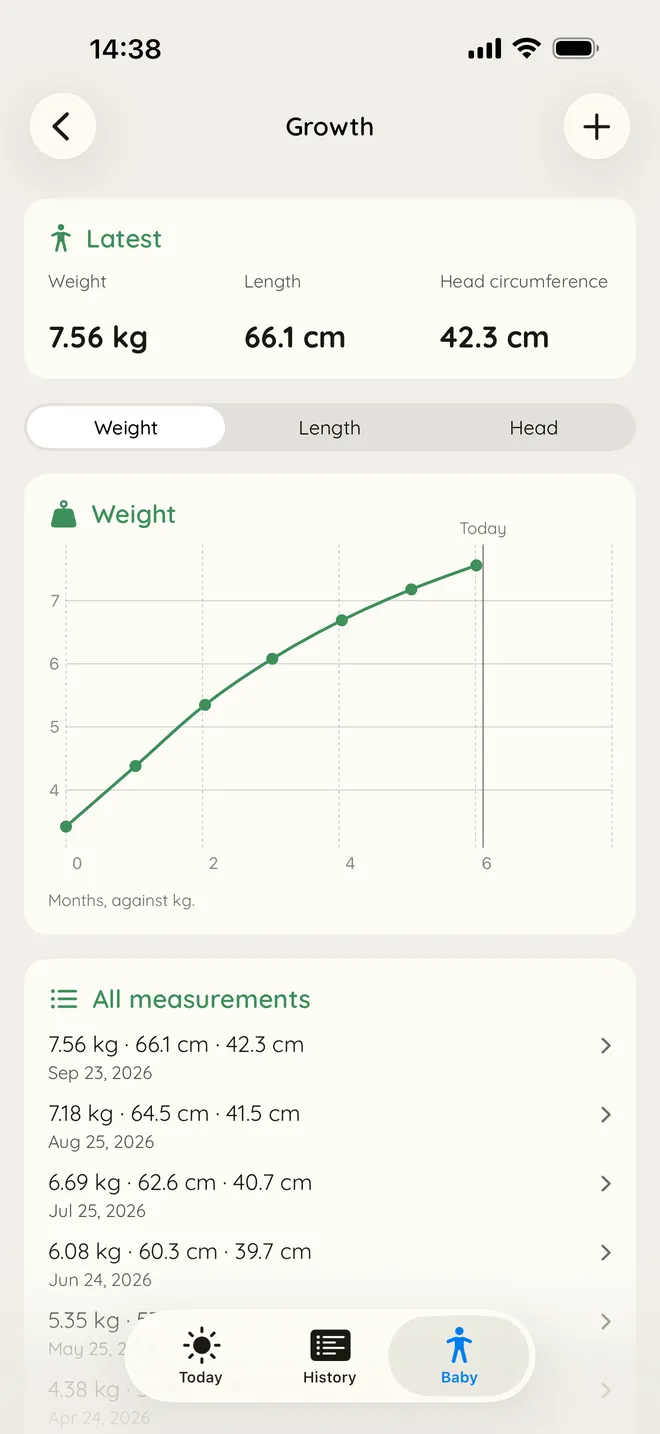
Growth: the latest weight, length and head circumference, 7.56 kg, 66.1 cm and 42.3 cm, and a chart of weight by age.

Ready for check-ups

Growth, temperatures, medicines and appointments sit in the same log as sleep and feeds, and appointments stay in step with your calendar, one for each child or one for the whole family. Medicine reminders can follow the baby's wake-up and bedtime.

Before a visit, make a summary to show the nurse or doctor, with the two-week sleep diary and food diary they often ask for.

The summary for a visit, with its two diaries Three pages side by side. On the left, the summary page with the latest weight and length. In the middle, a sleep diary: fourteen rows, one a day from midnight to midnight, with the night and the naps shaded and small marks for feeds. On the right, a food diary listing each feed with its time. 7.56 kg 66.1 cm 06:40 09:55 12:30 15:10 18:05 21:45 06:40 09:55 12:30 15:10 18:05 21:45 Sleep diary 0 6 12 18 24
The summary for a visit, with its sleep and food diaries. Part of Premium.

Also in the app

The same log keeps track of these too.

  • Tummy time
  • Teeth
  • First foods
  • Pumping
  • Formula
  • Baths
  • Places
Where the log goes Your iPhone or iPad syncs with your own iCloud, and your iCloud syncs with the device of anyone you invite. A fourth box, labelled nothing kept on our side, is drawn in dashes and connected to nothing. Your iPhone Your iCloud Someone you invite Nothing kept on our side

Kept in your own iCloud

Your log is stored on your device and in your own iCloud, and shared only with the people you invite. None of it can be read by us.

It is backed up every day, and you can export everything whenever you like. The privacy policy has the details, and it is short.

  • 0accounts to create
  • 0ads
  • 0analytics or tracking
  • 0third-party code

Free, and Premium

Logging is free, with no limit on history. Premium is for when you want the app to read the log for you.

Free

For everyone, for as long as you use the app.

  • Log everything, and keep the whole history
  • Share with anyone, and hear when the baby falls asleep or wakes up
  • The Lock Screen timer and the widget
  • Reminders for naps, feeds, medicines and appointments
  • A nap plan for your baby's age, and when feeds tend to come
  • How today compares with a usual day
  • Growth charts
  • Export and a daily backup
  • Import from Baby Tracker, Huckleberry, Napper and Nara Baby
  • Any number of children

Premium

What the app works out from what you logged.

  • A nap plan learned from your baby's own sleep
  • Insights: how this week compares, and graphs over months
  • Days at home compared with the other places you save
  • Ask the log in your own words, on an iPhone or iPad with Apple Intelligence and iOS 26
  • A summary to bring to check-ups, with sleep and food diaries
  • A summary of the week each Monday, and a catch-up after time away

Pay monthly, yearly with a 14-day free trial, or once for a lifetime unlock. One purchase covers your Apple family. If you cancel, you keep everything you logged.

Download on the App Store

How the nap plan, reminders, sharing and Premium work is explained on the support page.